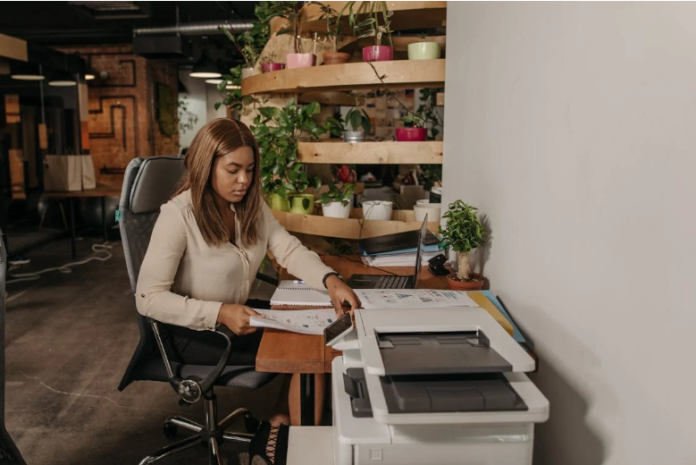

Small businesses thrive on efficiency and cost-effectiveness. One essential tool for maintaining smooth operations is a reliable printer. Among the options available, HP MFP printers stand out as a popular choice for many small business setups. These multifunction printers combine printing, scanning, copying, and sometimes faxing into one device, saving valuable space and money.
Understanding HP MFP Printers
HP MFP printers, or Hewlett-Packard multifunction printers, are devices that handle multiple tasks beyond just printing. These printers integrate scanning, copying, and sometimes faxing into a single machine. The convenience of having all these functions bundled together helps reduce clutter and increase workflow efficiency.
Benefits of HP MFP Printers for Small Businesses
Choosing HP MFP printers offers several advantages that make them ideal for small business environments. First, the reliability factor is significant. These printers are built to endure regular use without frequent breakdowns, minimizing downtime.
The print quality is another strong point. Whether printing important documents or scanning contracts, HP MFP printers deliver sharp and clear results. This consistency ensures your business communications always look professional.
Choosing the Right Features in HP MFP Printers
When selecting an HP MFP printer, focusing on the features that matter most to your business is crucial. Look for printers with automatic duplex printing if you want to save on paper and boost efficiency. A good scanner resolution is essential if you frequently digitize documents for records or emails.
Some models offer touchscreen control panels, which simplify navigation and make operation intuitive. Faxing might still be a necessary feature for certain industries, so check if the printer supports it if your business requires it.
Considering Print Speed and Volume for Your Setup
Print speed and monthly duty cycle are vital specs to examine. Small businesses with low to medium printing needs don’t require the fastest printers available, but speed still matters when handling bulk jobs or last-minute printing.
HP MFP printers typically offer a range of speeds measured in pages per minute (PPM). Choosing a model that matches your expected volume helps avoid bottlenecks. Likewise, the monthly duty cycle indicates the number of pages the printer can handle without strain.
Evaluating Connectivity and Compatibility
In modern offices, connectivity options greatly affect how smoothly a printer integrates into daily workflows. Most HP MFP printers support USB connections, wired Ethernet, and wireless options like Wi-Fi and Bluetooth.
Wireless printing is especially useful for small businesses where employees use laptops, tablets, or smartphones. It enables printing from anywhere in the office without cables cluttering the workspace.
Budgeting and Long-Term Costs of HP MFP Printers
The initial price of HP MFP printers varies widely depending on features and performance levels. While it’s tempting to choose the cheapest option, consider the long-term costs as well.
Ink or toner replacements can add up quickly. Some HP printers use cartridges designed for high page yields, which reduce the frequency of replacements. Others may support HP’s Instant Ink subscription service, which delivers ink automatically based on usage and can be cost-effective for many small businesses.
Conclusion
Selecting the right HP MFP printer for your small business setup requires balancing features, performance, and cost. These printers bring multifunctionality that boosts office efficiency, saves space, and ensures professional-quality documents.
By understanding what HP MFP printers offer and aligning their capabilities with your business needs, you can make a choice that supports your operations smoothly for years. Whether you prioritize speed, connectivity, or budget, there is a model designed to fit your unique requirements.